Smart RSS Rules
Level: 🟣 Advanced · Time: ~60 minutes
Most people write RSS rules as a wall of regex, get flooded with duplicates, and give up. UltraTorrent's rules are built differently: you express preference, not pattern-matching, and the engine handles the rest.
Overview
The mental shift: regex decides what is eligible. Preferences decide what you get.
Purpose
To build a rule that:
- Grabs exactly one release per movie or episode.
- Picks the best available one, not the first one.
- Upgrades itself when something genuinely better shows up.
- Never grabs the same thing twice, even across feeds, re-posts and rotated GUIDs.
- Can be tested before it ever downloads anything.
When to use this tutorial
| Use it when… | Use something else when… |
|---|---|
| You want quality preferences applied consistently. | You want to find gaps in a series → Automating TV shows. |
| Your rules are grabbing duplicates. | You want to search on demand → Multiple indexers. |
| You want automatic quality upgrades. | You are still getting a first download working → Quick Start. |
Prerequisites
- A working install with an engine (Quick Start).
- A library whose root will contain your rule's save path — otherwise nothing gets organised.
- Permissions:
rss.view,rss.manage. - An RSS feed URL you actually want to watch.
- Read Core Concepts → Acquisition first. This tutorial builds directly on it.
Concepts
| Term | Meaning |
|---|---|
| Feed | A polled URL. The rss_poll job runs every 60 s and fetches feeds whose refresh interval has elapsed. |
| Rule | Lives under a feed. Include/exclude regex, media type, category, save path, auto-download. |
| Match candidate | One entry in the rule's ranked preference list. |
| Release identity | movie:<title>:<year> or ep:<title>:<season>:<episode> — the key level-3 dedup works on. |
Info hash (btih) | The torrent's identity, parsed out of the magnet. Level-2 dedup. |
RssAcquisition | The record of "this rule currently holds this release for that logical title". |
Step-by-step
Step 1 — Add the feed
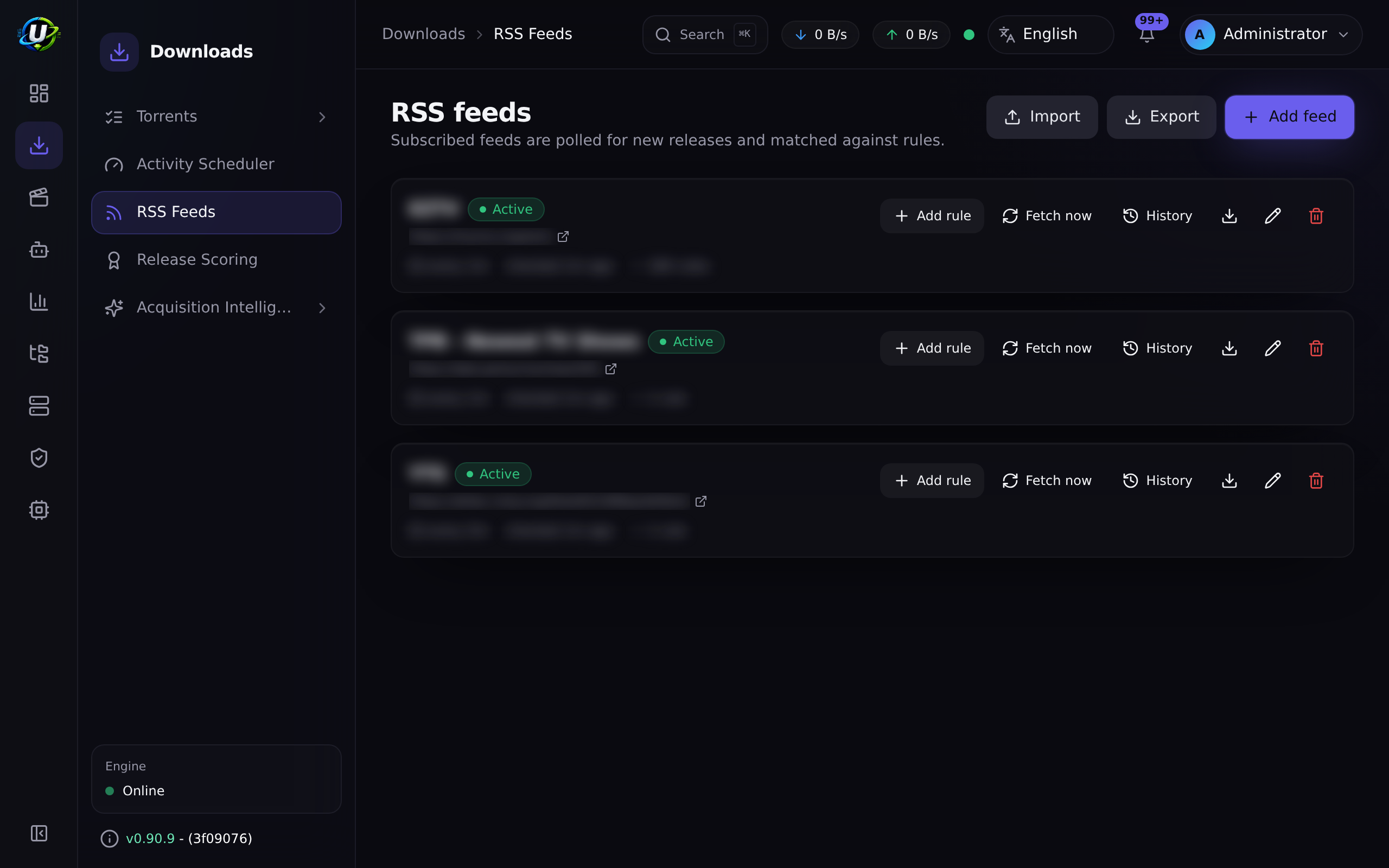
RSS & Acquisition → RSS Feeds (/rss) → Add feed.
| Field | Value |
|---|---|
| Name | Yours |
| URL | The feed URL |
| Refresh interval | How often to poll it |
| Enabled | on |
Expected result: the feed appears and, after the next rss_poll tick (within 60
seconds of its interval elapsing), begins showing items.
rss_poll runs every 60 seconds and fetches only the feeds whose own refresh
interval has elapsed. Setting a feed to 15 minutes does not make it poll every 60
seconds — it makes it poll every 15 minutes, checked every 60 seconds.
Step 2 — Create the rule with auto-download OFF
This is the safety move that everyone should make and almost nobody does.
Add rule under the feed:
| Field | Value | Notes |
|---|---|---|
| Name | e.g. Dune Part Two | Yours. |
| Media type | movie / tv / anime / … | For tv/anime this activates show-status awareness. |
| Include regex | What a candidate must match | Keep it broad. |
| Exclude regex | What a candidate must not match | Keep it narrow. |
| Save path | /downloads/movies | Must be inside a library's root, or nothing gets organised. |
| Auto-download | OFF ← for now | The rule records matches without grabbing them. |
Save, and let it run for a poll cycle or two.
Expected result: the rule's match history shows what it would have grabbed — with nothing downloaded.
A rule with auto-download off keeps matching and recording forever without grabbing.
That is exactly what the convert_rule_to_backfill automation action does when a
show ends — it turns off autoDownload and keeps the rule.
Step 3 — Get the regex right (and keep it dumb)
The most common mistake is trying to encode quality in the regex. Do not. That is what the preference list is for.
| Regex | Should express | Should not express |
|---|---|---|
| Include | Which title is this about? | Which resolution / source / group you prefer. |
| Exclude | What is categorically unacceptable? (CAM, TS, a language you cannot read) | Anything you would merely rather avoid. |
A good include regex is broad enough to catch every release of the thing, and nothing else. A good exclude regex is a short list of things you would never take under any circumstances.
Expected result: the rule matches every release of your target, at every quality, and nothing unrelated.
If you exclude everything except one exact release string, the rule will find that string or nothing at all — and you will never get an upgrade, because there is nothing better it is allowed to see. Let the preference list do the choosing.
Step 4 — Build the preference list
Open the rule detail page (/rss/rules/:ruleId). This is where the Smart Match
Builder and Match Preferences live, along with a testing panel and match
history.
Build an ordered list of match candidates — best first:
 1.  2160p · Remux · Dolby Vision · Atmos      ← ideal
 2.  2160p · WEB-DL · HDR10 · DD+ 5.1
 3.  1080p · BluRay · SDR · DTS-HD
 4.  1080p · WEB-DL · SDR · DD+ 5.1            ← perfectly fine
 5.  720p  · WEB-DL                            ← acceptable in a pinch
 —   (anything not on the list is not acceptable)
The list is ranked, and that ranking is what powers both the initial grab and every future upgrade.
Expected result: the Match Preferences list is ordered exactly the way you would choose by hand.
Step 5 — Understand what the rule will now do
This is the heart of the tutorial. Three levels of deduplication run on every candidate, in both live polling and backfill:
Level 3 is the one that changes how you think. A rule with a preference list
holds exactly one release per logical title — movie:<title>:<year> or
ep:<title>:<season>:<episode>. It grabs the best available so far, upgrades when
something strictly higher-priority appears, and skips everything equal or worse.
This is intentional and it is the whole point: you asked for the best release, so holding two is pointless. But be aware:
- The old torrent is removed from the engine.
- Its data is deleted.
- If you hardlinked it into a library, the library copy survives (that is what hardlinks are for) — but the seeding copy is gone.
If you never want this, do not rank a better release above the one you hold, or
disable upgrades in the acquisition profile (duplicateRules.allowUpgrades).
Release identity is parsed from the name. An unparseable title falls back to plain per-release behavior — so a rule matching weirdly named releases may hold more than one. That is a graceful degradation, not a bug.
Step 6 — Test the rule before you arm it
The rule detail page has a testing panel. Use it against real feed items and check that:
- The right releases match.
- The right ones are ranked highest.
- The junk is excluded.
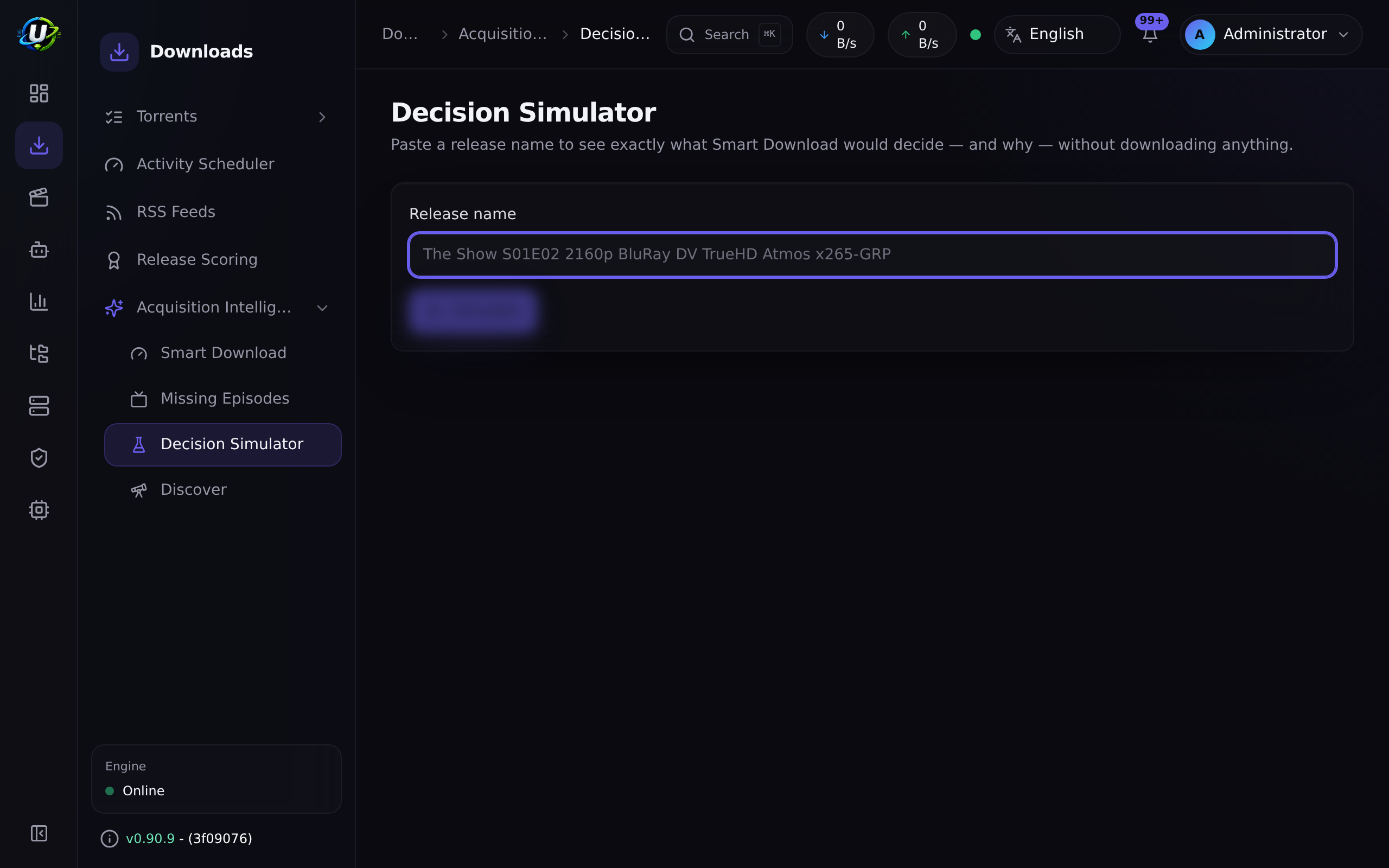
Then go further: paste a candidate release name into the Decision Simulator
(/media-acquisition/simulator). It runs the entire acquisition pipeline —
identify → preferences → score → library comparison → upgrade rules — and renders
each stage as a clickable trace, with no side effects at all. Nothing is
persisted, no action is taken, nothing is downloaded.
Expected result: you can predict, with confidence, what the rule will do to any given release.
Step 7 — Turn auto-download on
Edit the rule and enable Auto-download.
Expected result: on the next poll, matching releases are grabbed — one per
logical title, best available — and appear on /torrents.
Watch /rss and the rule's match history for the first cycle. You should see grabs,
skips and (eventually) upgrades, each with a reason.
Step 8 — Tune the score thresholds
Release Scoring gives every parsed release a 0–100 score plus an accept/reject decision with reasons and warnings. Your acquisition profile turns that score into behaviour:
| Profile field | Effect |
|---|---|
minimumScore | Below this → skip. |
approvalScore | Below this → hold_for_approval (a human decides). |
qualityRules.waitForBetter + waitUntilScore | The wait policy: a release that is ≥ minimum but < waitUntilScore becomes wait — deliberately held out on. |
duplicateRules.allowUpgrades | Whether upgrades are permitted at all. |
automationRules.approvalRequired | Force approval for everything. |
You can inspect and tune the scoring itself on Release Scoring
(/release-scoring).
wait is a feature, not a stallIf nothing is downloading and the Waiting queue is full, the engine is doing exactly
what you told it: the available releases are acceptable but not good enough, so it
is holding out for something better. Lower waitUntilScore if you would rather have
it now.
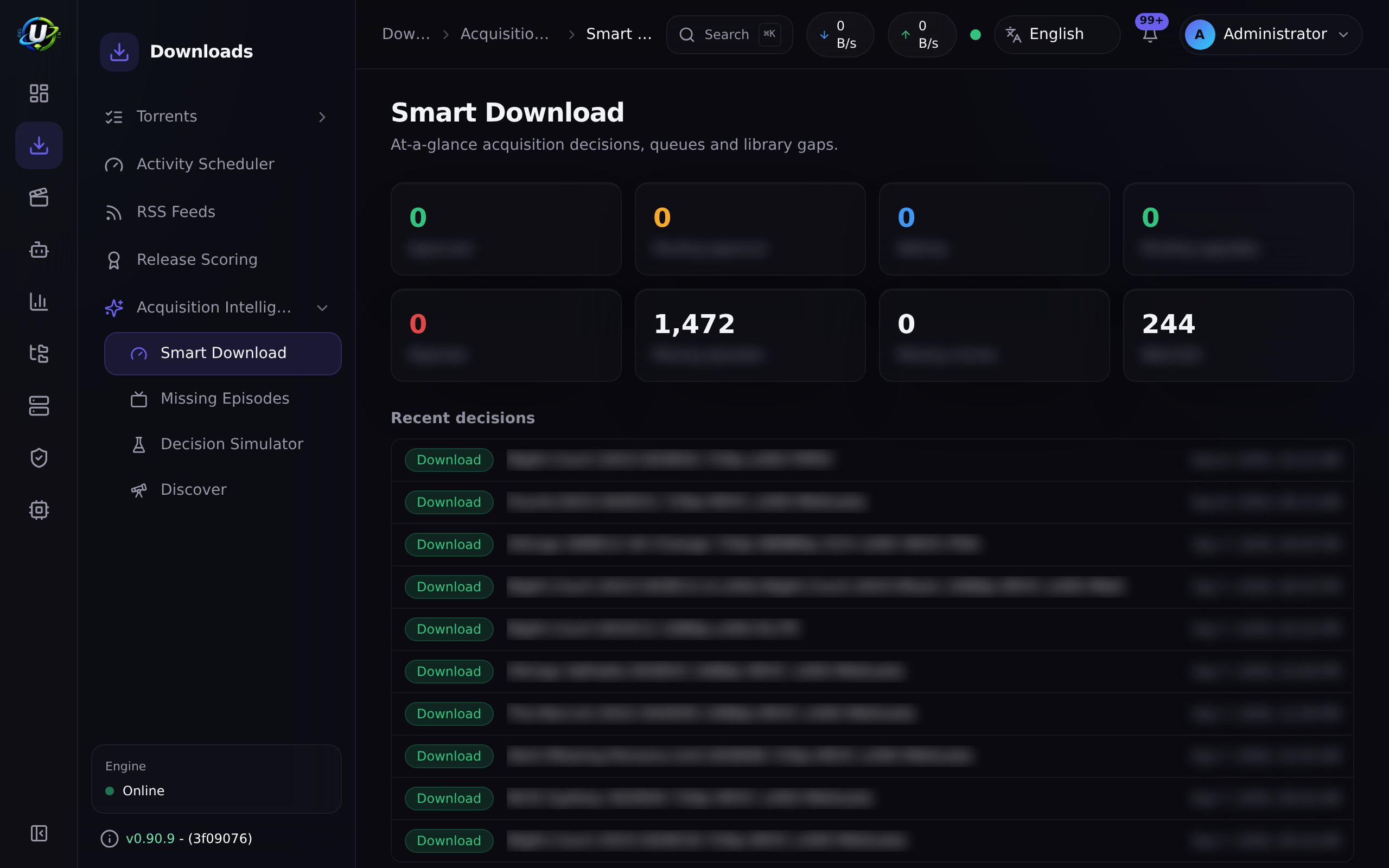
Expected result: the Smart Download dashboard's queues (Approved · Pending approval · Waiting · Pending upgrades · Rejected) reflect decisions you agree with.
Step 9 — Understand what counts as an upgrade
Upgrades are multi-dimensional, not resolution-only:
| Dimension | Best → worst |
|---|---|
| Resolution | 2160p → 1080p → 720p → 480p |
| Source | Remux → BluRay → WEB-DL → WEBRip → HDTV |
| HDR | Dolby Vision → HDR10+ → HDR10 → HLG → SDR |
| Audio | Atmos / DTS:X → TrueHD / DTS-HD → DD+ → DTS/DD → AAC |
| Channels | 7.1 → 5.1 → 2.0 |
When a candidate wins, the winning dimensions surface in the decision reason — e.g. "owned, lower quality (resolution 2160p > 1080p, HDR Dolby Vision > SDR)".
HEVC/AV1 vs AVC is a scoring tiebreak only. An x264 → x265 re-encode at the same quality is not worth re-downloading, so it will never, on its own, cause an upgrade. This is deliberate, and it is the single most common source of "why won't it upgrade to the x265?" — the answer is: because that is not an upgrade.
Video coming soon.
Examples
A movie rule that behaves itself
| Setting | Value |
|---|---|
| Media type | movie |
| Include | broad — matches the title |
| Exclude | CAM|HDTS|TELESYNC|HDCAM |
| Save path | /downloads/movies (inside the Movies library root) |
| Auto-download | on (after testing with it off) |
| Preferences | 2160p Remux DV → 2160p WEB-DL HDR10 → 1080p BluRay → 1080p WEB-DL |
| Profile | allowUpgrades: true, sensible minimumScore |
Result: it grabs the best it can find now, and quietly upgrades to the Remux when one appears — removing the old torrent and its data.
A rule that deliberately does not upgrade
Same as above, but set duplicateRules.allowUpgrades: false in the profile. It
grabs once, and never touches it again.
A backfill-only rule
Auto-download off. It records every match forever and grabs nothing. Pair it with the watchlist + Missing Episodes flow for controlled acquisition.
Troubleshooting
| Symptom | Cause | Fix |
|---|---|---|
| Rule matches nothing | Include regex too tight, or the feed has no matching items. | Test in the rule's testing panel. Broaden the include. |
| Rule matches everything | Include regex too loose. | Tighten it — but keep quality out of it. |
| Duplicates keep arriving | The releases have unparseable titles, so level-3 dedup falls back to per-release. | Check that the release names parse to a release identity. |
| It grabbed then instantly deleted | An upgrade — a strictly higher-priority release appeared. | Working as designed. Reorder your preference list if you disagree. |
| It will not upgrade to the x265 | Codec is a tiebreak only, never an upgrade dimension. | This is intentional. |
| Nothing downloads; the Waiting queue is full | Your waitUntilScore is higher than anything available. | Lower it, or wait. |
| Everything lands in Pending approval | approvalRequired, or the score is below approvalScore. | Adjust the profile, or approve. |
| Grabs succeed but nothing is organised | The rule's save path is not inside an enabled library's root. | Fix the save path. |
| "Torrent URL resolves to a blocked internal address" | SSRF guard vs. a private-IP indexer. | Add the host to SSRF_ALLOW_HOSTS (keep prowlarr). |
| A TV rule refuses to save | The show is ended / canceled. | Confirm the override (it is audited), or use a backfill rule. |
| The feed stopped updating | The feed URL is dead or rate-limiting. | Open the feed on /rss and check its status and history — a failing poll stops advancing the last-poll time and records the error. |
Tips
One poll cycle of "what would it have grabbed?" is worth an hour of cleanup.
Regex answers "is this the right title?". Preferences answer "is this the right release?". Mixing them produces rules nobody can debug six months later.
Nothing is persisted, no action runs, nothing downloads. Paste in every weird release name you can find and read the trace.
Read the danger box in Step 5
before you enable allowUpgrades on anything you care about.
Smart Download consumes the RSS module's Smart Match preference lists and the Release Scoring engine as the source of truth. It orchestrates; it does not duplicate. Tune quality once, and both RSS and missing-episode acquisition obey it.
FAQ
Can one rule cover a whole TV show?
Yes. Set media type tv, an include regex matching the show, and a preference list.
Level-3 dedup keys on ep:<title>:<season>:<episode>, so it holds one release per
episode.
What happens if two feeds carry the same release? Level-2 dedup catches it by info-hash. It is grabbed once.
Does a rotated GUID trick it? No — that is precisely what level 2 exists for.
Why did it skip a release that looks better to me? Read the reason. It will name the stage: an exclude term, a score below minimum, already owned at equal-or-better quality, or below the preference list entirely. The Decision Simulator will show you the whole trace.
Do RSS rules search indexers? No. RSS feeds are not indexers. RSS is polled and pushes items at your rules; indexers are searched on demand, over Torznab/Newznab, by the acquisition pipeline. Different subsystems.
How do I find out when a feed breaks?
By looking: the feed's status and history on /rss record the failure, and its
last-poll time stops advancing. Nothing pushes that to you.
Checklist
Verification
- A feed exists and is polling.
- A rule exists with a broad include and a narrow exclude.
- Its save path is inside a library's root.
- I ran it with auto-download OFF for at least one cycle and reviewed the matches.
- A ranked Match Preferences list is built in the Smart Match Builder.
- I tested candidate names in the Decision Simulator and understood every trace.
- Auto-download is now on.
- The rule holds exactly one release per logical title.
- I know that an upgrade deletes the superseded torrent and its data.
- I know that a codec change alone never upgrades.
- The Smart Download queues (Waiting / Approvals / Upgrades / Rejected) look right.
Expected results
| Screen | Expected |
|---|---|
/rss | Feeds polling; rules matching |
/rss/rules/:id | A ranked preference list + a sensible match history |
/media-acquisition/simulator | A full trace for any release you paste |
/media-acquisition/dashboard | Queues that reflect decisions you agree with |
/torrents | One release per title, upgraded when something better lands |
Next steps
- Multiple indexers — give the engine more to choose from.
- Automating TV shows — pair forward RSS with backward gap-filling.
See also
- RSS · Smart Download · Indexers
- Automation · Media Manager
- Workflows — Workflow 3 is this rule, as a sequence diagram.
- Core Concepts — release identity, dedup levels, upgrade dimensions.
- Troubleshooting · Glossary