Security & Hardening
UltraTorrent controls a service that can move and delete files on disk, so security is not decorative. This page is the operator's view: what the platform already does for you, what you must do yourself, and how to rotate a secret without locking everyone out.
Purpose
To take a working UltraTorrent installation and make it safe to run — including, if you choose, safe to expose to the internet.
When to use this
- Immediately after installing (the first-hour checklist).
- Before putting it behind a public hostname.
- When onboarding users who are not you.
- When a secret has leaked and must be rotated.
Prerequisites
- Shell access to the host and the
.envfile. - A
SUPER_ADMINaccount. - For public exposure: a reverse proxy and a TLS certificate. See Reverse proxy and TLS.
Video coming soon.
Concepts
What the platform already enforces
You get a great deal for free. Knowing what is already covered stops you from "hardening" things that are hard, and focuses you on what is not.
| Control | What it does |
|---|---|
| Argon2id password hashing | Memory-hard, GPU/ASIC-resistant. Plaintext passwords are never stored or logged. Login is timing-hardened — an unknown username still runs a verify against a dummy hash, so response time does not reveal whether an account exists. |
| Short-lived JWT access tokens | Default TTL 15 minutes (JWT_ACCESS_TTL). Algorithm-pinned. A token whose type is not access is rejected. |
| Rotating refresh tokens with reuse detection | Refresh tokens are opaque random secrets, stored only as a SHA-256 hash. Each refresh revokes the old token and issues a new one in the same family. Presenting an already-revoked token burns the entire family — the hallmark of a stolen token. |
| Session revocation | Logout, a password change, and deactivating a user all revoke refresh tokens server-side. A changed password ends every active session. |
| Rate limiting | POST /api/auth/login — 5 requests / 60 s. POST /api/auth/refresh — 20 / 60 s. The 2FA step posts to the same login endpoint, so that 5/min limit also bounds TOTP guessing. |
| Production boot guard | The backend refuses to start with a weak secret. See Secrets. |
| Helmet + CORS | Secure HTTP response headers (HSTS, X-Content-Type-Options, frame/cross-origin policies). CORS is restricted to CORS_ORIGIN. |
| Input validation | Every request body is a typed DTO validated with class-validator; invalid payloads are rejected with 400 before reaching any service. |
| Path safety | The file manager is confined to FILE_MANAGER_ROOTS. Traversal, absolute-escape, null bytes and symlink escape are all blocked; deleting a configured root or a system directory is always refused. |
| SSRF guard | Torrent-URL fetches allow only http(s), block private/loopback/link-local/CGNAT/cloud-metadata addresses, refuse redirects, and cap the body at 20 MB. |
| Audit logging | Security-relevant and destructive actions are recorded with actor, action, object, result, IP and user agent. |
| Secrets encrypted at rest | TOTP secrets, indexer API keys, the Prowlarr key and engine passwords are AES-256-GCM encrypted and redacted (••••••••) in every API response. |
| Privilege-escalation guards | Only a SUPER_ADMIN may grant SUPER_ADMIN. No user may edit their own roles — users.manage alone cannot self-promote. |
The trust boundary
The rTorrent SCGI/XML-RPC interface is unauthenticated and gives full control of
the client — including the ability to execute commands (it runs rm during
delete-with-data). Treat it as a privileged internal endpoint:
- Never expose it to the network. Bind it to
127.0.0.1or a Unix socket, or keep it on the internal Docker network only (which the shipped Compose file does — it usesexpose, notports). - Only the UltraTorrent backend should be able to reach it. All user access must go through the authenticated, permission-checked, audited API.
The same reasoning applies to the qBittorrent Web API: if you publish its port to grab the first-run password, consider unpublishing it afterwards.
Secrets
Three secrets matter. They are not interchangeable and they do not rotate the same way.
| Secret | Protects | Rotating it… |
|---|---|---|
JWT_ACCESS_SECRET | Signs access tokens | Invalidates all access tokens — users are logged out. Cheap. |
JWT_REFRESH_SECRET | Refresh-token machinery | Invalidates refresh tokens — users must log in again. Cheap. |
ENCRYPTION_KEY | AES-256-GCM encryption at rest for TOTP secrets, indexer API keys, the Prowlarr key, engine passwords | Destroys access to every one of those values. Expensive. See below. |
Generate each with:
openssl rand -base64 48
The production boot guard
When NODE_ENV=production, the backend refuses to boot if JWT_ACCESS_SECRET
or ENCRYPTION_KEY is:
- unset, or
- a known default (
dev-*,change-me), or - shorter than 32 characters, or
- identical to the other.
This deliberately closes the "forgot to set a secret → predictable signing key →
anyone can forge a SUPER_ADMIN token" hole. If the backend starts in
production, these four conditions are satisfied.
Compose applies the same philosophy: it refuses to start without
POSTGRES_PASSWORD and ADMIN_PASSWORD. There are no insecure defaults
anywhere in the stack.
POSTGRES_PASSWORDDATABASE_URL is derived from it. A URL-special character (@ : / ?) needs
percent-encoding and will otherwise silently break the connection string.
Rotating secrets
Rotating the JWT secrets (safe, routine)
Cost: everyone is logged out. That is all.
# 1. Generate new values
openssl rand -base64 48   # -> JWT_ACCESS_SECRET
openssl rand -base64 48   # -> JWT_REFRESH_SECRET

# 2. Edit .env, then recreate the backend
docker compose up -d --force-recreate backend
Verify. You are logged out; logging back in works.
Do this if a secret may have leaked, when an admin with host access leaves, or on a routine schedule (annually is reasonable).
Rotating ENCRYPTION_KEY (destructive — plan it)
ENCRYPTION_KEYENCRYPTION_KEY is the AES-256-GCM key for everything encrypted at rest.
Rotating it makes all previously-encrypted values undecryptable. There is no
automatic re-encryption. Specifically, you will lose:
- Every user's TOTP secret → all 2FA users are locked out of their second factor and must re-enrol.
- Indexer API keys → must be re-entered.
- The Prowlarr API key → must be re-entered.
- Engine passwords (e.g. qBittorrent) → must be re-entered.
The rotation procedure:
-
Take a backup first. See Backup & Restore.
-
Warn your users. Everyone with 2FA will need to re-enrol. Make sure at least one
SUPER_ADMINaccount without 2FA (or with recovery codes to hand) can still get in — otherwise you will lock yourself out of your own installation. -
Disable 2FA on the accounts you can, before rotating (this is optional but makes recovery cleaner).
-
Set the new key and recreate:
openssl rand -base64 48 # -> ENCRYPTION_KEY (must differ from JWT_ACCESS_SECRET)docker compose up -d --force-recreate backend -
Re-enrol 2FA for every affected user.
-
Re-enter every indexer API key, the Prowlarr key, and any engine passwords.
Verify. Log in with 2FA on a re-enrolled account; run an indexer test and a Prowlarr connection test — both should pass.
.env, off the hostENCRYPTION_KEY is not in your Postgres dump. A database backup without the
.env is a backup you cannot fully restore — you would recover the encrypted
blobs and no key to read them. Store .env in a password manager or secret store.
Two-factor authentication
UltraTorrent supports TOTP (RFC 6238) — compatible with Google Authenticator, Authy, 1Password, and any standard app. 30-second step, ±1 step clock-skew tolerance.
Enrolment is confirmed, not blind
This is an important property: POST /api/account/2fa/setup generates a secret and
returns an otpauth:// URI plus a QR code — but 2FA is not active until the
user proves possession by submitting a valid code to POST /api/account/2fa/enable.
Nobody can lock themselves out by scanning a QR code and walking away.
Recovery codes
Enabling 2FA returns 10 single-use recovery codes, shown once. They are stored only as SHA-256 hashes. At login, a recovery code is accepted in place of a TOTP code and is consumed on use, so it cannot be replayed.
They are shown once. If a SUPER_ADMIN loses both their authenticator and their
recovery codes, recovery means direct database surgery.
Regenerate them at POST /api/account/2fa/recovery (requires a current TOTP code).
Disabling 2FA
POST /api/account/2fa/disable requires the account password as confirmation,
and clears the secret, the flag and all recovery codes. All 2FA endpoints are
self-service only — a user can only manage their own 2FA.
RBAC
Authorization is permission-based, not role-based-with-hardcoded-checks. Every
protected route declares the permissions it needs; a guard verifies the principal
holds all of them. SUPER_ADMIN bypasses granular checks.
There is no licensing, edition, or feature gating — RBAC is the only access-control mechanism in the product.
The system roles
| Role | Grant it to | Notably includes / excludes |
|---|---|---|
SUPER_ADMIN | Yourself, and as few others as possible | All permissions, and bypasses granular checks. The only role that can grant SUPER_ADMIN. |
ADMINISTRATOR | A trusted co-admin | All permissions except system.manage. |
POWER_USER | A housemate who manages their own media | All torrent actions, categories/tags, RSS, automation, all files.* (including delete/bulk/cleanup), system.view. No user/role management. |
USER | An ordinary household user | View/add torrents, basic state changes, categories/tags, rss.view, and read-only files. |
READ_ONLY | A dashboard viewer | View only. |
Principle of least privilege, applied
POWER_USERcan delete files. It includes everyfiles.*permission, includingfiles.deleteandfiles.cleanup. If that is not what you want, build a custom role.torrents.delete_datais separate fromtorrents.deletefor a reason. One removes the torrent; the other removes the data on disk. Grant them separately.- Bulk actions enforce the same permission as their dedicated route, per
action — so a viewer cannot smuggle a destructive operation through
/torrents/bulk. - Deactivating a user revokes their refresh tokens, and token refresh is rejected for a disabled account. Deactivation is immediate, not eventual.
See Permissions for the full catalogue and RBAC for the model.
Exposing UltraTorrent to the internet
The honest recommendation: don't. A VPN (WireGuard, Tailscale) gives you remote access with a fraction of the attack surface. UltraTorrent is a file-moving, file-deleting, command-executing service. There is very little upside to putting it on the public internet.
If you must:
-
TLS, always. Terminate at the proxy. The bundled Caddy profile does this automatically:
docker compose --profile proxy up -dReplace the
:80site label indeploy/Caddyfilewith your domain to get automatic Let's Encrypt HTTPS. See TLS. -
Set
CORS_ORIGINto your real origin. Not*, notlocalhost.CORS_ORIGIN=https://ultratorrent.example.com -
Do not publish the engine, Prowlarr, or FlareSolverr ports. The shipped Compose file keeps rTorrent and FlareSolverr on
expose(internal only). It does publish qBittorrent (8081) and Prowlarr (9696) for first-run convenience — remove thoseports:mappings once you are set up if the host is internet-facing. -
Narrow
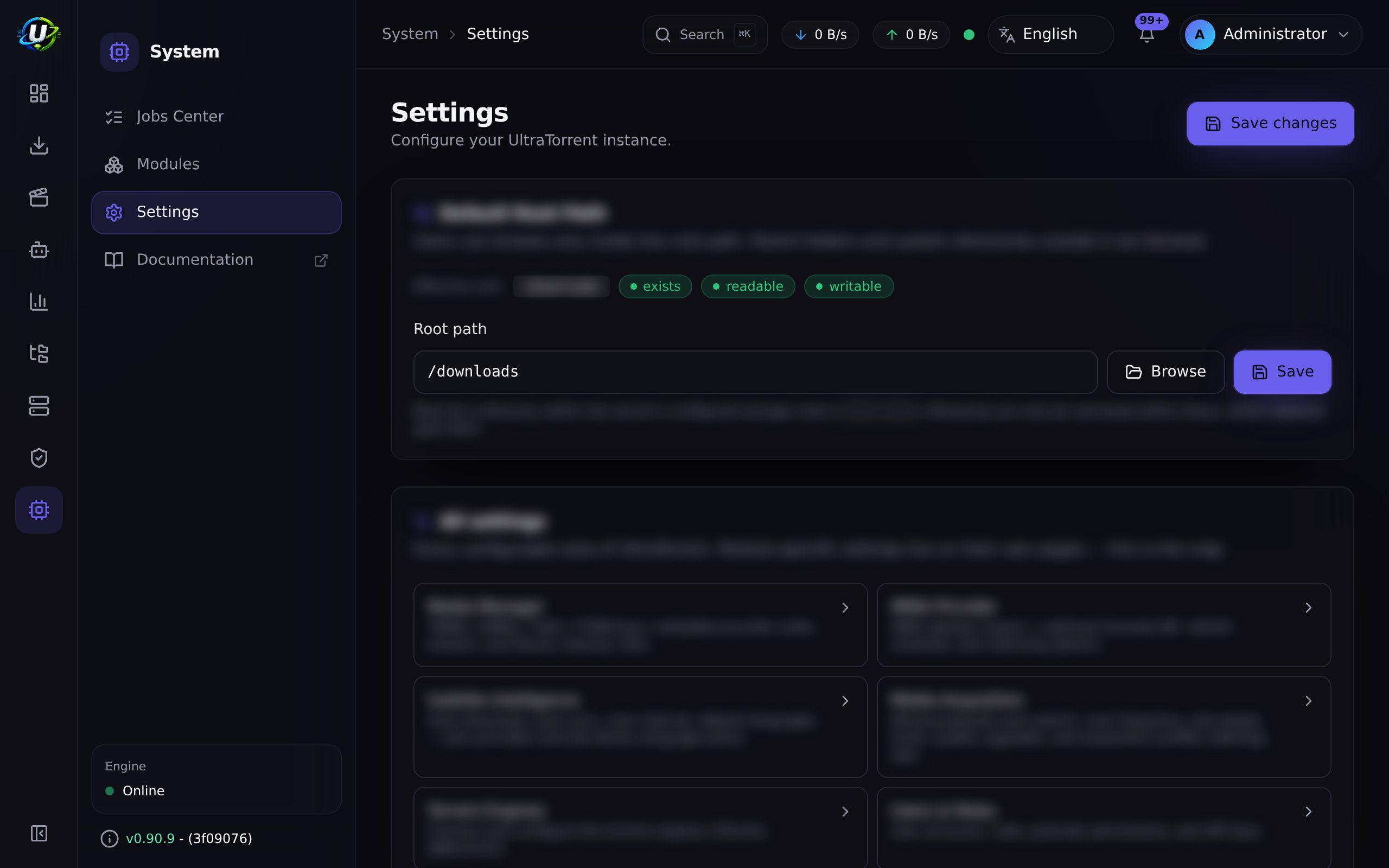
FILE_MANAGER_ROOTSto exactly the directories the engine writes to. It is the hard, ops-controlled boundary and is never widened at runtime. -
Consider proxy-level auth (basic auth, or an identity-aware proxy) in front of the whole thing as a second gate.
The two-layer file-manager boundary
Worth understanding, because it is a genuinely good design and people misconfigure it:
FILE_MANAGER_ROOTS(environment) is the hard outer boundary. Set in the deployment environment; never widened at runtime. Nothing in the UI can escape it.- Default Root Path (a setting, changed only via
PUT /api/files/rootwith thesettings.manage_root_pathpermission) can only narrow browsing to a subtree inside those roots. A value outside the hard roots is ignored.
The directory picker in the UI is a convenience, not the security boundary — the server validates every submitted path on use.
Deletes are soft by default: items move to a .ultratorrent-trash directory
inside their own root and can be restored; permanent: true is required to delete
irreversibly. The Cleanup Wizard never deletes automatically — its preview is
read-only and it removes only explicitly-selected paths.
Examples
Audit the security posture of a running stack
# 1. Are any privileged ports published to the host?
docker compose ps --format "table {{.Service}}\t{{.Ports}}"
#    Look for: rtorrent, flaresolverr  -> should show NO host mapping.
#    qbittorrent (8081) / prowlarr (9696) -> unpublish if internet-facing.

# 2. Are the secrets real? (length check, without printing them)
awk -F= '/^(JWT_ACCESS_SECRET|JWT_REFRESH_SECRET|ENCRYPTION_KEY)=/ \
  { printf "%s: %d chars\n", $1, length($2) }' .env
#    Every one must be >= 32. ENCRYPTION_KEY must differ from JWT_ACCESS_SECRET.

# 3. Is CORS locked to a real origin?
grep CORS_ORIGIN .env

# 4. How wide is the file-manager boundary?
grep FILE_MANAGER_ROOTS .env

# 5. Is SSRF protection on for everything except what you trust?
grep SSRF_ALLOW_HOSTS .env
Review who can destroy things
-- Users holding a destructive permission, via any role
SELECT u.username, r.name AS role
FROM users u
JOIN "_RoleToUser" ru ON ru."B" = u.id
JOIN roles r ON r.id = ru."A"
ORDER BY r.name, u.username;
Then cross-check the role against
the permission catalogue. Remember POWER_USER includes
all files.*.
Troubleshooting
| Symptom | Cause | Fix |
|---|---|---|
| Backend exits with "insecure secret configuration" | The production boot guard tripped | Troubleshooting → Secrets |
| Everyone locked out of 2FA after a change | ENCRYPTION_KEY was rotated | Re-enrol 2FA. See Rotating ENCRYPTION_KEY |
| Indexer/Prowlarr keys suddenly invalid | ENCRYPTION_KEY was rotated | Re-enter them |
| CORS errors in the browser | CORS_ORIGIN does not match the browser's origin | Set it exactly |
| A user sees no live updates | They lack the view permission the WebSocket room requires | Grant torrents.view etc. |
| Auto-downloads blocked | The SSRF guard is doing its job | Add the host to SSRF_ALLOW_HOSTS |
Tips
- The audit log is your friend after an incident. It records failed logins with the attempted username, plus every destructive action with actor and IP.
- A pending-2FA challenge is not recorded as a failed login — so a spike of
genuine
auth.loginfailures in the audit log is meaningful signal, not noise. - Rate limiting bounds TOTP guessing too, because the 2FA step posts to the same rate-limited login endpoint.
- Least-privilege the
.envfile itself:chmod 600 .env. It contains every secret you have.
FAQ
Is it safe to put UltraTorrent on the internet? It can be, behind TLS, with 2FA, strong passwords, and no published engine ports. But a VPN is a better answer for almost everyone.
What happens if I lose ENCRYPTION_KEY?
Every TOTP secret, indexer key, Prowlarr key and engine password becomes
permanently unreadable. Users re-enrol 2FA; you re-enter the keys. Your torrents,
libraries and users are unaffected. Back up .env.
Can a USER delete my media?
No. USER has read-only file permissions. POWER_USER, however, has all
files.* including delete and cleanup — grant it deliberately.
Does UltraTorrent scrape IMDb? No. There is no code path that fetches or parses imdb.com HTML. The IMDb provider works only from user-provided IMDb datasets and/or a licensed IMDb API. It is disabled by default, its API key is AES-GCM encrypted, redacted in responses, and never logged.
Can users.manage promote itself to SUPER_ADMIN?
No. Only a SUPER_ADMIN may grant SUPER_ADMIN, and no user may edit their own
roles.
How do I report a vulnerability? Privately — do not open a public GitHub issue. Use GitHub's private security advisory feature for the repository, with a description, affected versions, reproduction steps and impact.
Hardening checklist
Secrets
-
JWT_ACCESS_SECRET,JWT_REFRESH_SECRET,ENCRYPTION_KEYare each 32+ random chars -
ENCRYPTION_KEYdiffers fromJWT_ACCESS_SECRET -
POSTGRES_PASSWORDis strong and alphanumeric -
.envischmod 600and backed up off the host
Accounts
- The seeded admin password has been changed
- 2FA is enrolled on every admin account
- Recovery codes are stored somewhere safe
- Users have the least role that does their job (
POWER_USERcan delete files) - There is more than one route back in if an admin loses their authenticator
Exposure
- Engine (rTorrent/qBittorrent) control ports are not published to the host
- FlareSolverr is internal-only
- Prowlarr's port is unpublished (or firewalled) if internet-facing
- TLS terminates at a reverse proxy
-
CORS_ORIGINis the exact production origin
Filesystem
-
FILE_MANAGER_ROOTSis as narrow as possible - It matches the directories the engine actually writes to
-
SSRF_ALLOW_HOSTSlists only indexers you trust (keepprowlarrif bundled)
Ongoing
- The audit log is reviewed periodically (see Maintenance)
- Upgrades are applied (see Upgrading)
See also
- Permissions reference — the full catalogue
- RBAC — the model
- Users · Audit
- Reverse proxy · TLS
- Backup & Restore — back up
.env, not just the database - Troubleshooting
- Environment reference